Order entry
Orders come in through three doors and all end up in the same place, ready to dispatch.
- Customer portal: your customers place orders themselves in five short steps, with a live price estimate.
- Entry by dispatch, with a route preview on the map.
- Quick order from the driver's phone: date, origin, destination, freight.
- Multi-stop: several pickups and deliveries in a single order, each item tied to its stop.
- Address book per customer, with opening hours and sites (dock, door, building).
- Cut-off time per sector for same-day deliveries.
- PO number and customer reference carried over to the bill of lading and the invoice.
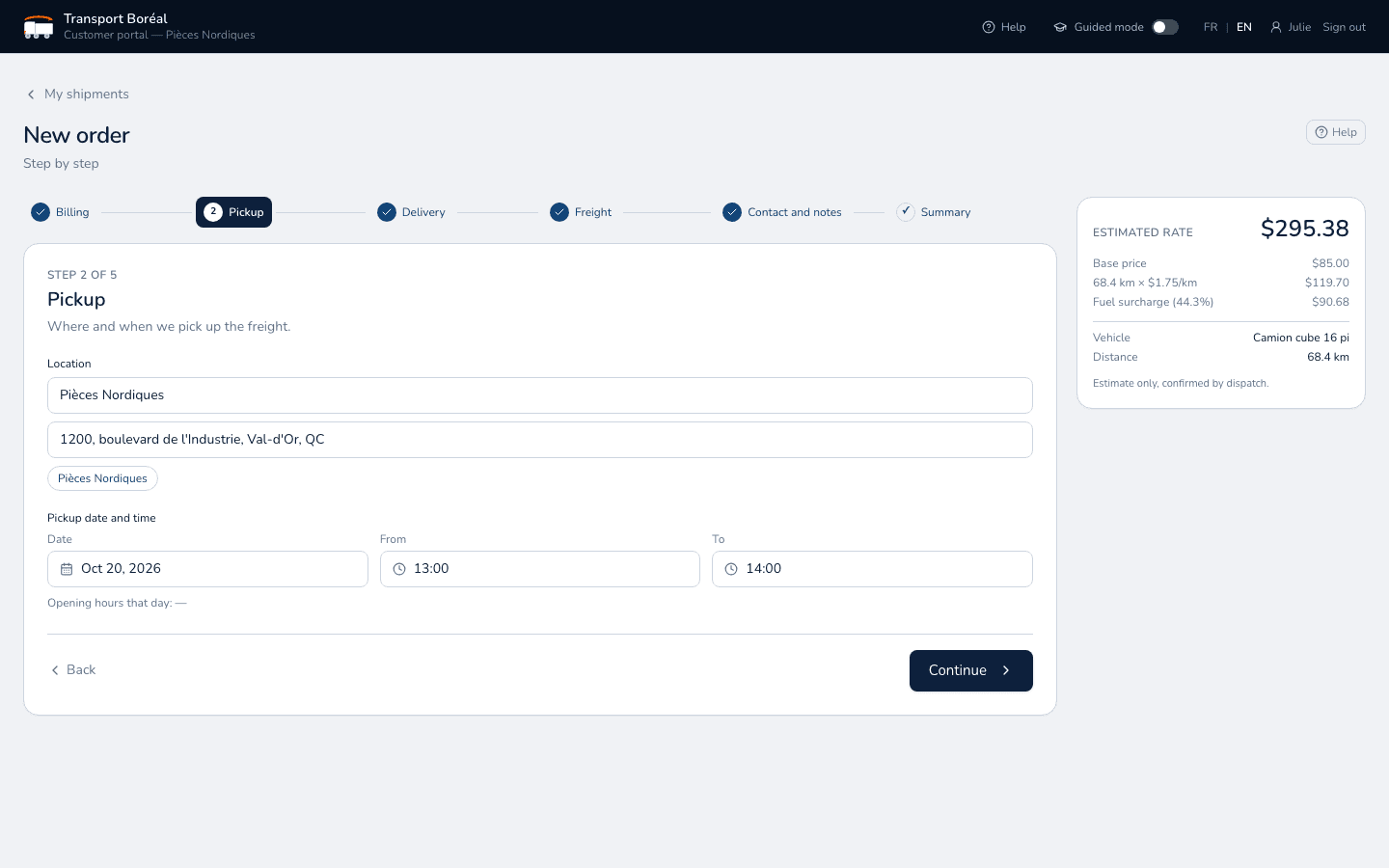
Automatic pricing
Your rate sheets, applied without error to every order. The price is known before dispatch even starts.
- Rates by geographic sector, sector to sector or to all sectors, drawn on the map.
- Flat, per-kilometre or hourly prices, by service type.
- Negotiated rates per customer, and one rate shared by several customers.
- Unit grouping (for example boxes counted as pallets) and dimension surcharges.
- Fuel surcharge updated automatically every day from the published index.
- Extras: waiting time per block, flat or percentage fees, rush service.
- Price locked in with the order and itemized line by line.
Dispatch and optimization
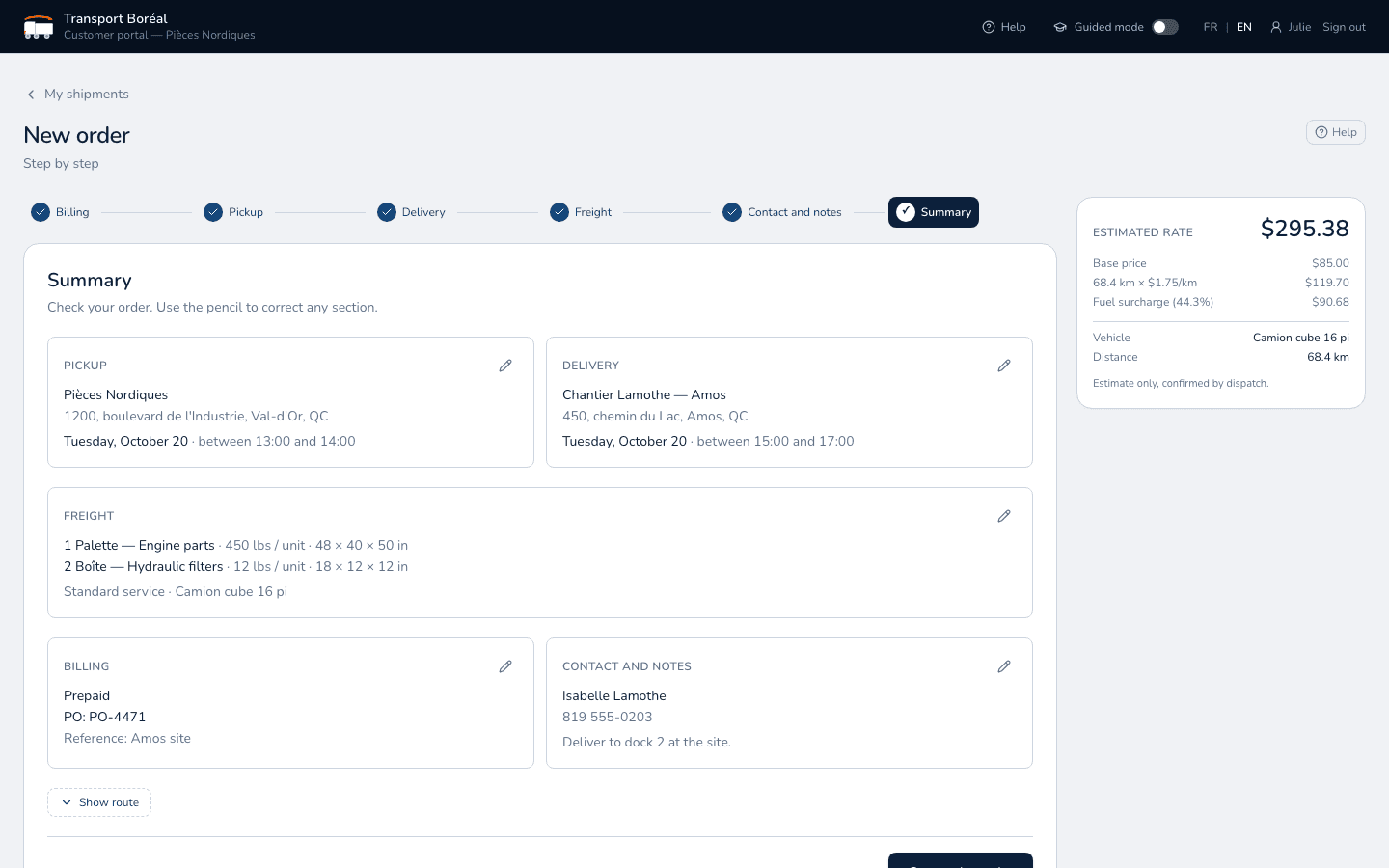
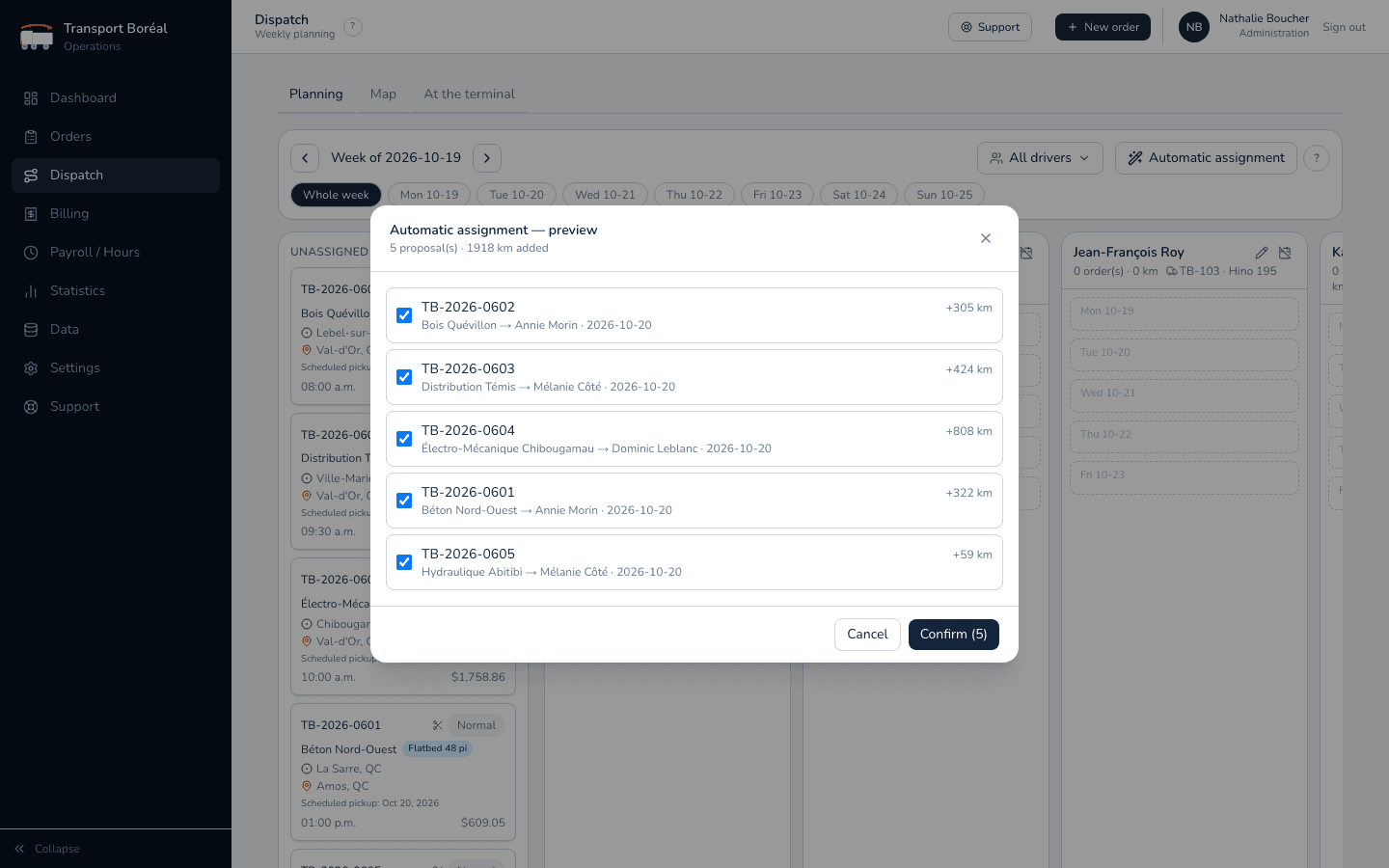
Your drivers' whole week on a single screen. The tool suggests, you decide.
- Weekly schedule per driver, with drag and drop.
- Automatic assignment: the best driver and the best day for each order, confirmed in one click.
- Stop order optimized for distance, weight, volume and time windows.
- Day length and estimated arrival times, recalculated live as deliveries progress.
- Map of orders and trucks, with GPS positions from the phone and Geotab.
- Trucks, schedules and unavailability configurable per driver and per day.
Driver app
Their day in their pocket. A simple app, built for the dock and the cab, on any phone.
- My route: every stop in order, the next one highlighted.
- One button per step: departure, arrival, end of stop. The order status moves forward on its own.
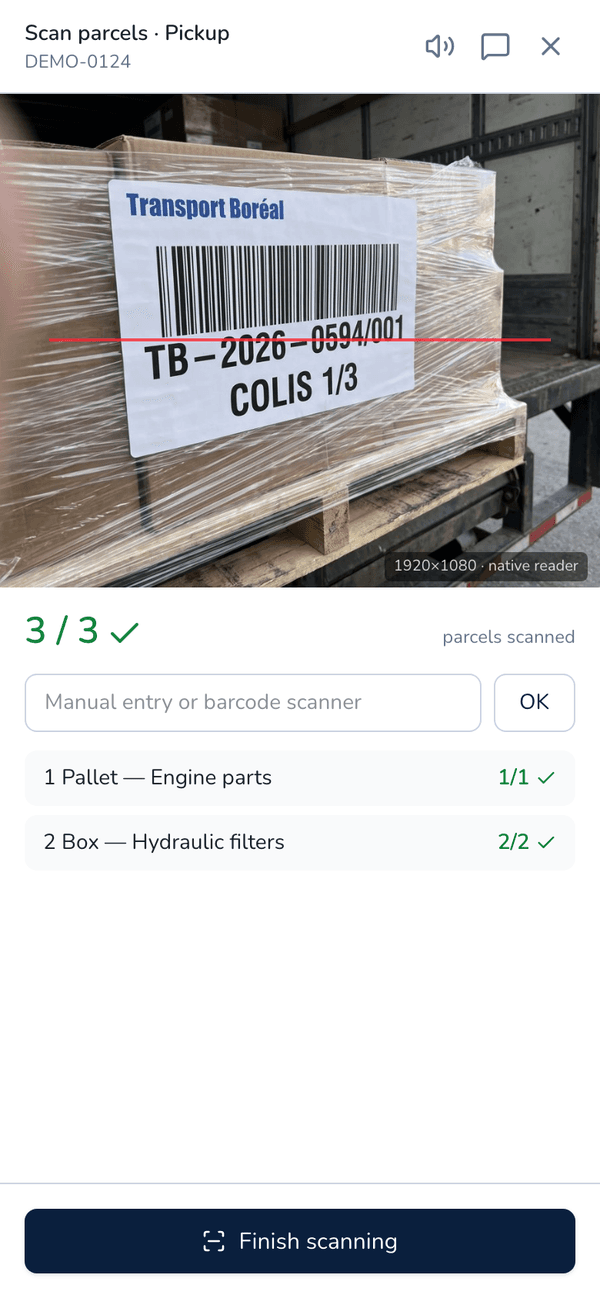
- Parcel scanning with the camera: confirmation beep, alert on a parcel from another order, automatic close when everything is scanned.
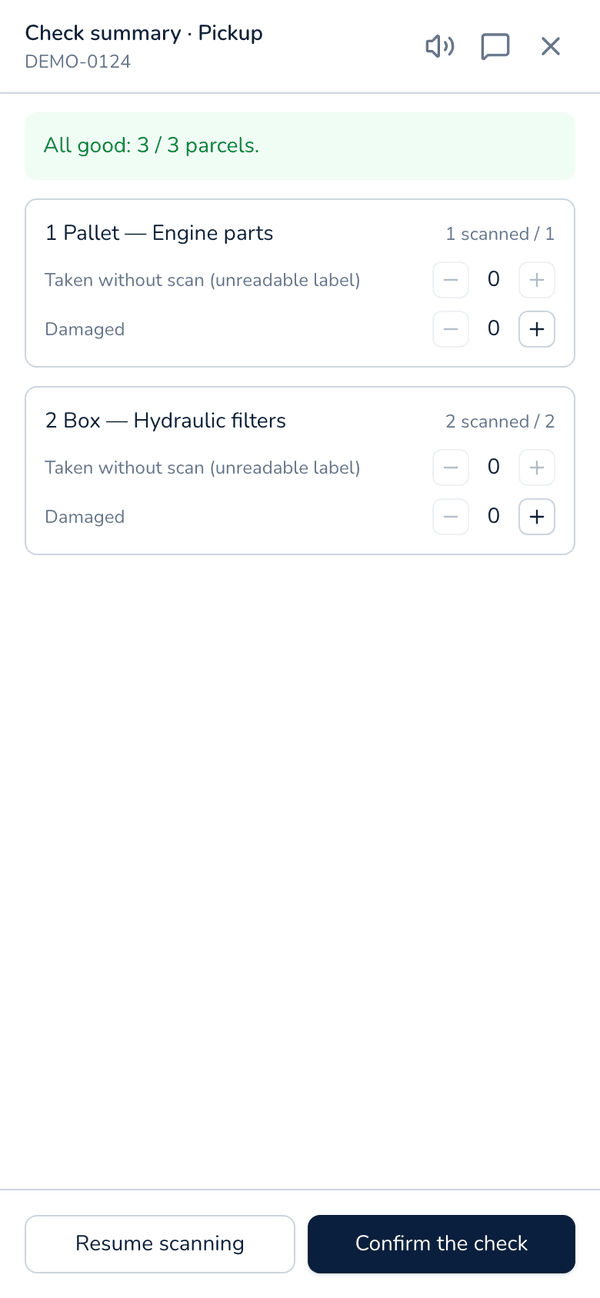
- Exceptions summary: missing, damaged or unreadable parcels.
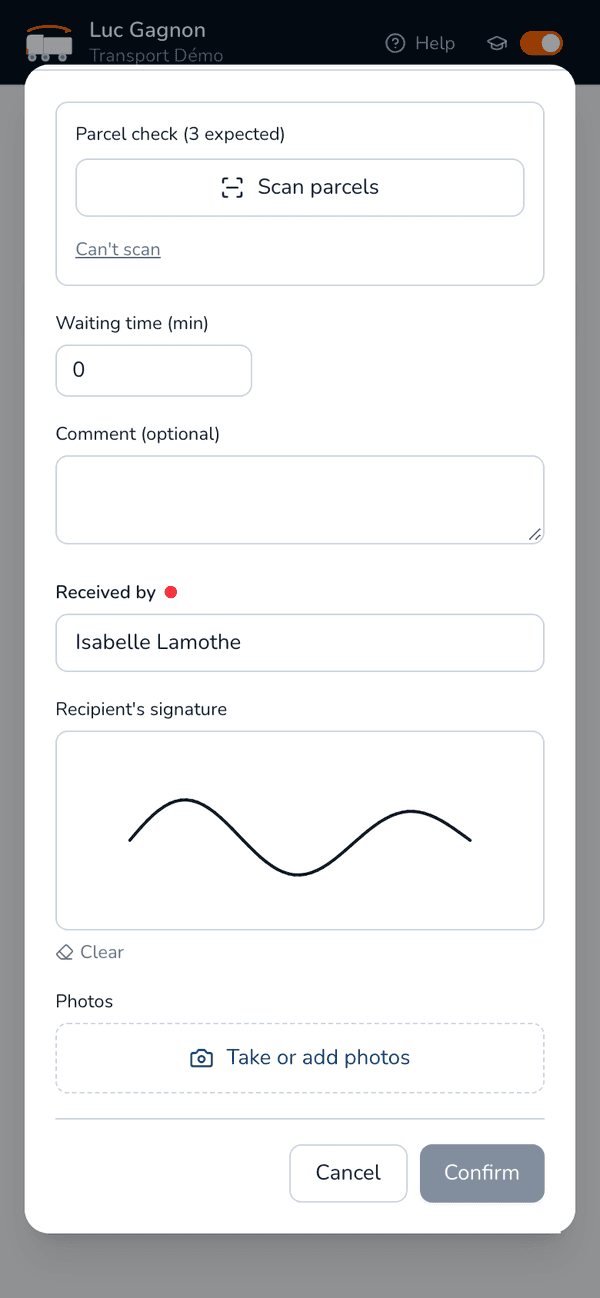
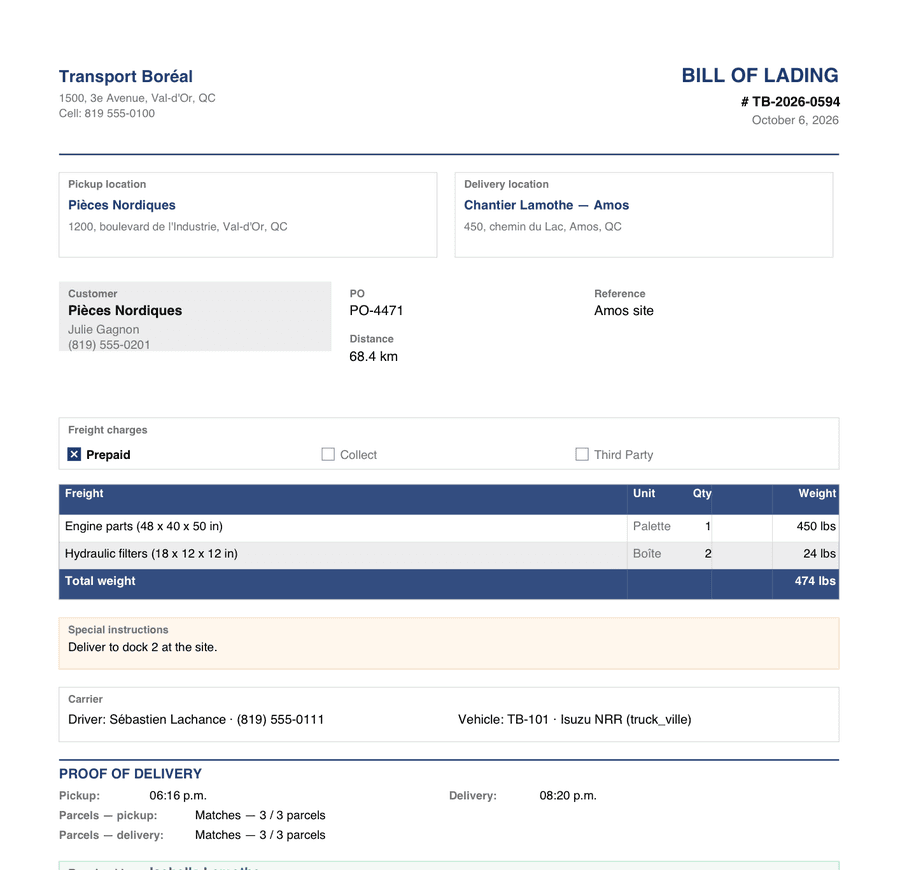
- Proof of delivery: receiver's name, on-screen signature, photos and waiting time.
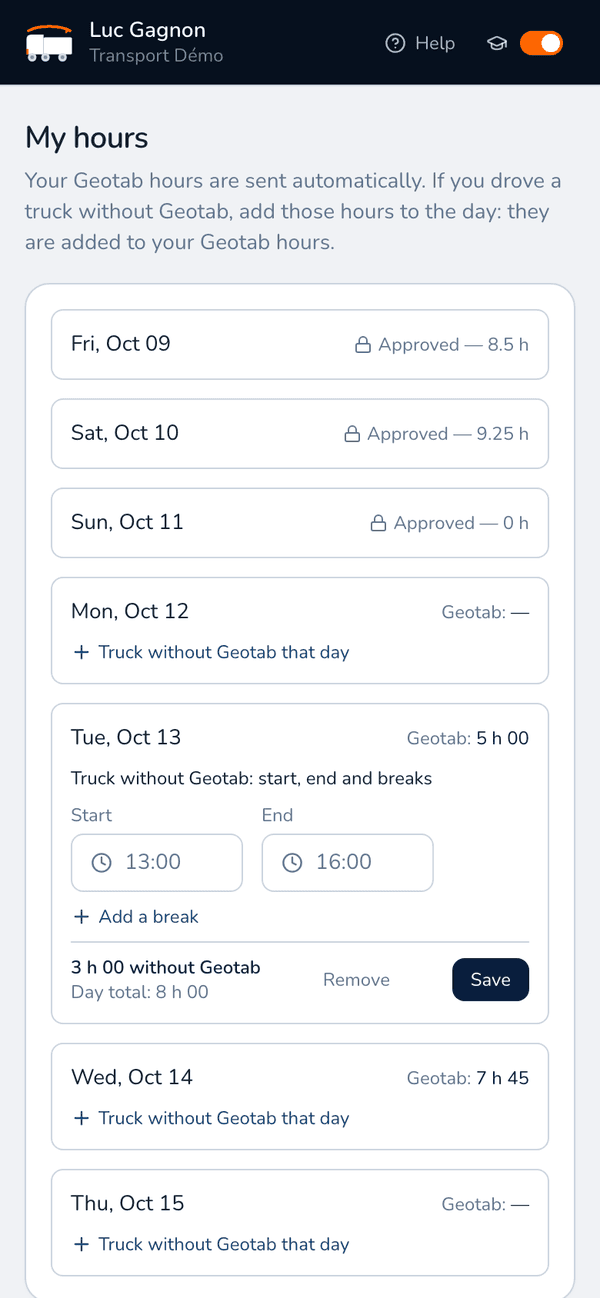
- Working hours entered on the phone or imported from Geotab.
- On-board documents at hand for roadside inspections.
- Training delivery and built-in help: up and running without training.
Customer portal and tracking
Your customers know where their freight is, without picking up the phone.
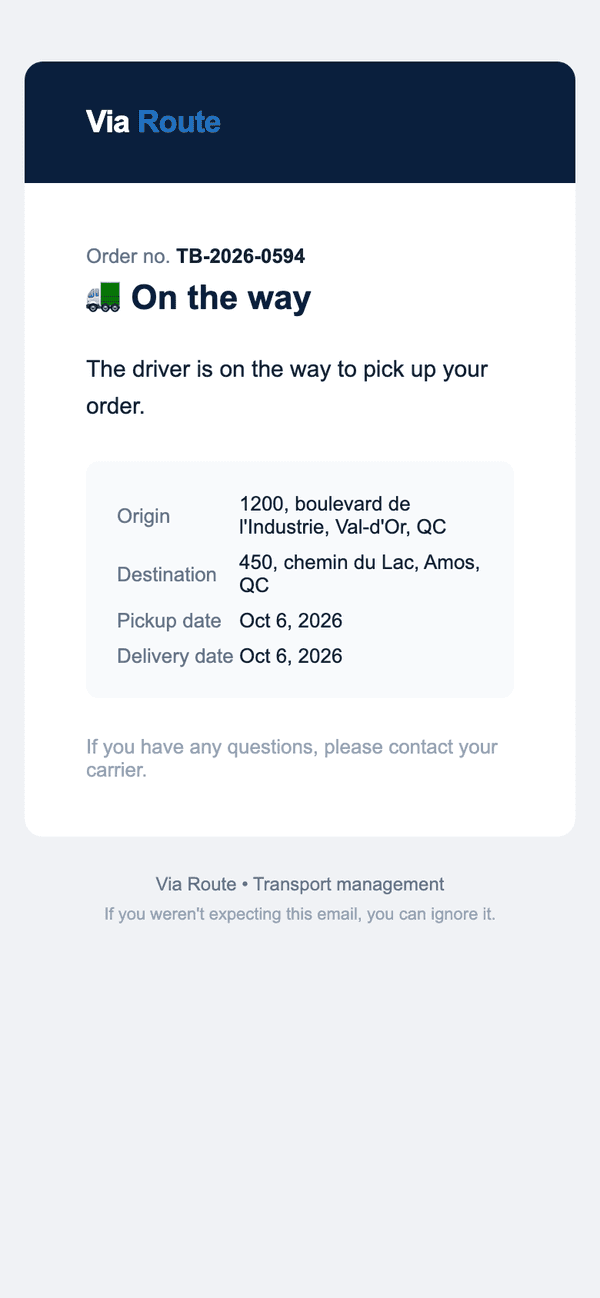
- Automatic email at every step: assigned, on the way, pickup, delivered, invoiced.
- Choice of which emails are sent, customer by customer.
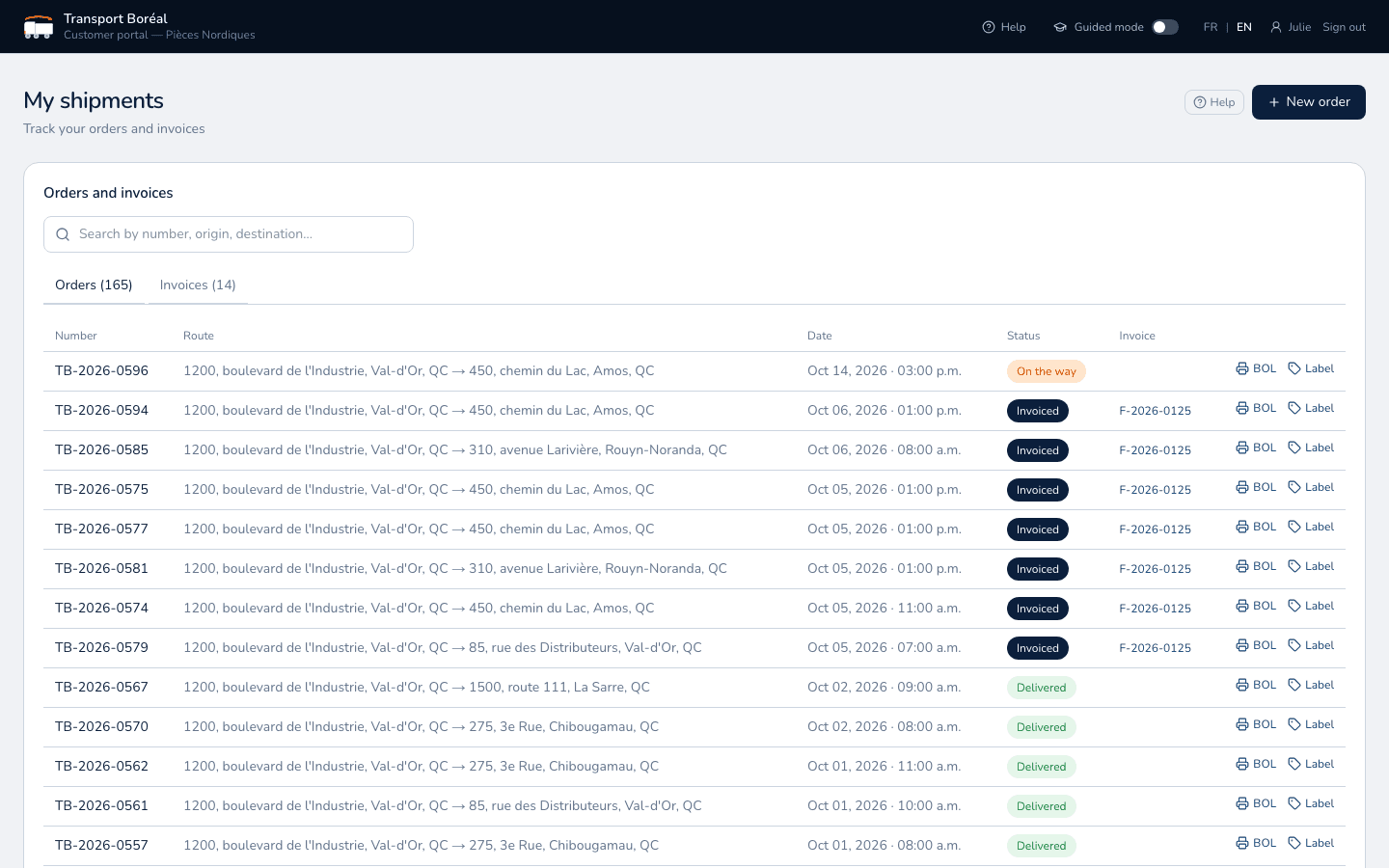
- Customer portal: all orders and their status, invoices, search by number or location.
- Bill of lading (BOL) and barcode labels printed in one click.
- Instant alert to your team when an order comes in.
- Discovery mode and online help so your customers are on their own from day one.
- Portal, emails and documents in French or English, in each customer's language.
Billing
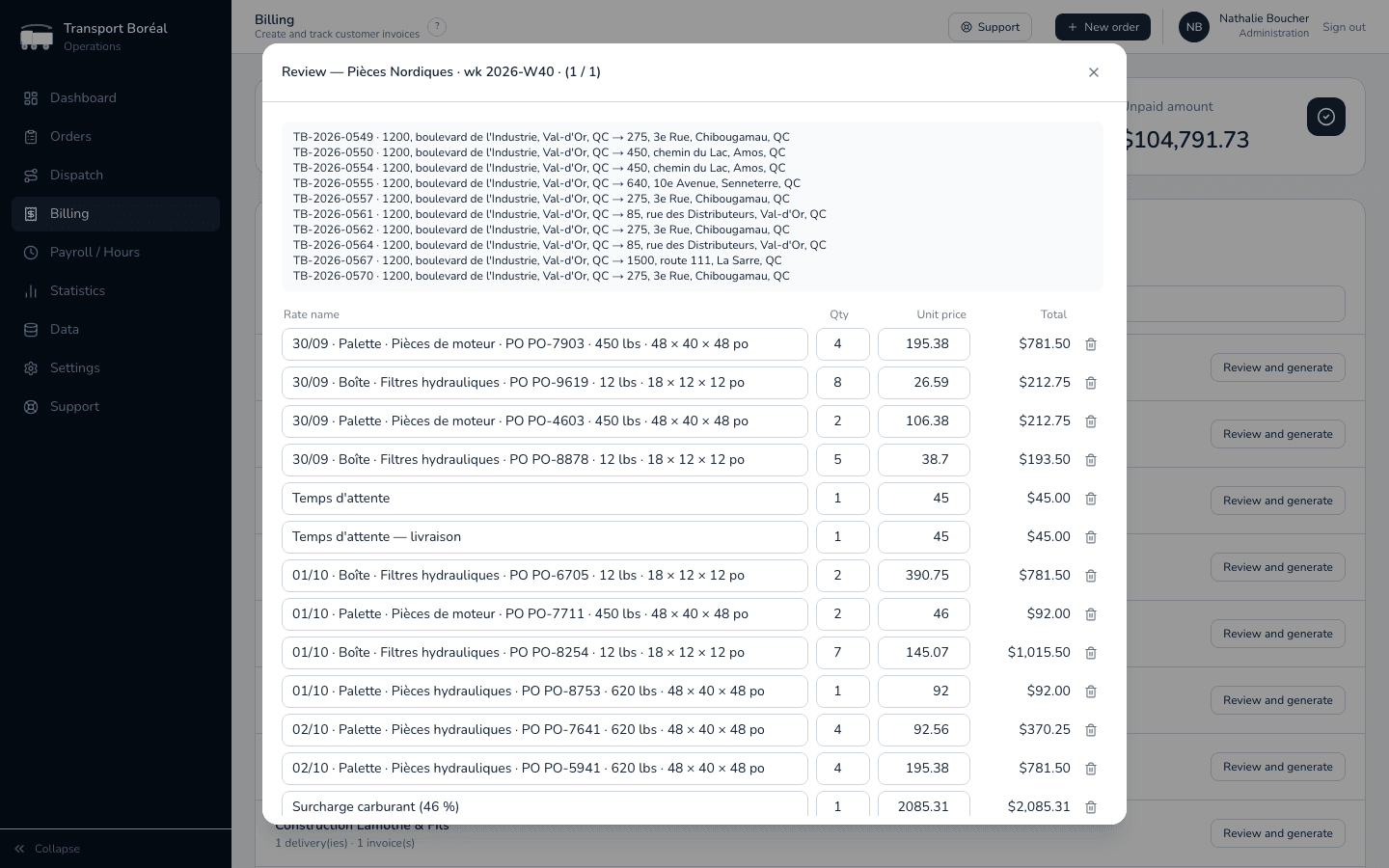
Invoice the same day. Every completed delivery is ready to bill, with proof attached.
- Deliveries ready to invoice, grouped by customer.
- Review before issuing: actual versus planned (distance, duration, weight, waiting), editable lines.
- One invoice per order, per week or per month, depending on the customer.
- Taxes (GST, QST) and payment terms applied automatically.
- PDF invoice emailed with the delivery file: signed bills of lading and photos.
- Separate fuel surcharge invoice for customers who ask for it.
- Invoice tracking through to payment, and export to your accounting software.
Payroll, hours and statistics
Your company's numbers, up to date without a spreadsheet.
- Driver hours imported from Geotab or entered on the phone.
- Hours per driver and per week, approved then marked as paid.
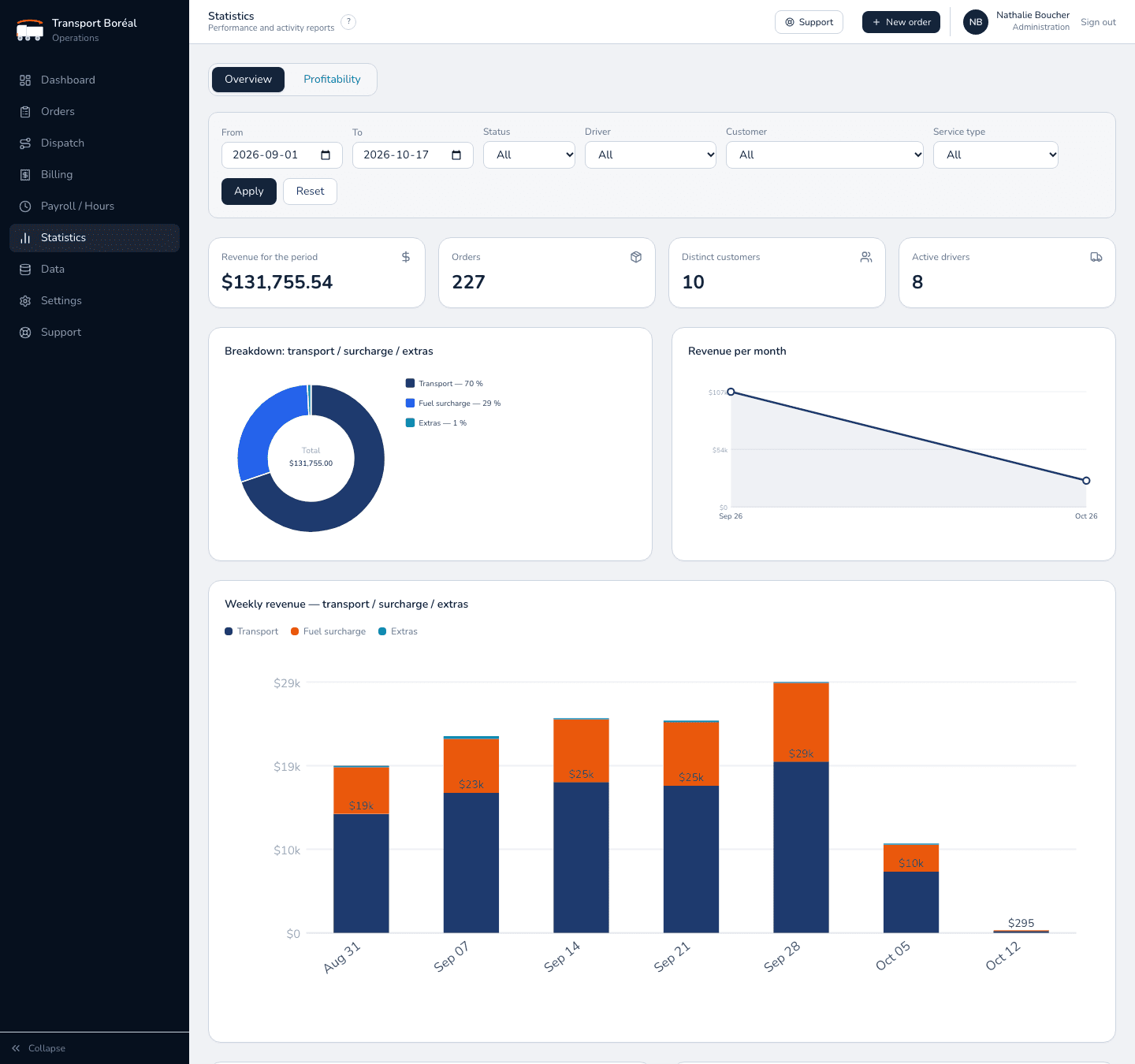
- Revenue per month and per week: transport, fuel surcharge, extras.
- Top customers, revenue per driver, breakdown by service type.
- Profitability per week and per driver.
- Filters by period, customer, driver and service type.
External carriers
Hand an order to a subcontractor without losing track of it.
- Bill of lading and secure link emailed to the carrier, with no account to create, in French or English.
- The carrier moves the status forward and enters waiting time, actual weights and proof of delivery.
- You follow progress in Via Route, and the order stays in your billing.
Settings and security
Your reference data, managed in one place.
- Customers, addresses, drivers, trucks, trailers, units and freight.
- Accounts for your team, your drivers and your customers, each with their own access and language (French or English).
- Data isolated per company, secure sign-in.
- Geotab and Google Maps connections.
What it changes for each person
One platform, four ways to use it. Everyone sees what they need, nothing more.
Dispatcher
Your week on a single screen
- No more whiteboard and Excel files.
- Assignments suggested in one click.
- Arrival times that recalculate themselves.
- Fewer “where's my truck?” calls.
Driver
Their day in their pocket
- The route in order, stop by stop.
- A scan that beeps, no paperwork to fill in.
- The signature right on the screen.
- Hours sent without a second thought.
Customer
Order in two minutes
- The price known before ordering.
- An email at every step.
- BOLs, labels and invoices online.
- Usual addresses already saved.
Accounting
Invoice the same day
- Deliveries ready to invoice, with no re-entry.
- Proof of delivery attached to the invoice.
- Taxes and fuel surcharge calculated.
- Hours ready for payroll.
Let's look at your operation together
Book a demo: we'll show you Via Route and answer all your questions.